


You call a dental office expecting a sale, but you hear, “We can’t change our processor.” This happens because dental software often controls how payments work. It may control payment posting, patient balances, etc.
So, a lower processing rate is not always enough. First, check the software. Then check who handles payment acceptance. For example, Dentrix uses Worldpay, while Open Dental offers three built-in payment options and an API route.
This guide shows agents and sales teams how to find dental practices that can switch processors and reach the right buyer.
Our goal is not just to call more dental practices. It is to call the right ones.
Why Your Real Competitor is the Practice’s Software, Not Its Processor
Your real competitor is often the practice’s software, not its current processor. Most dental practices use practice management software for appointments. The software may already include a payment provider. This makes switching difficult.
A new processor must work with the practice’s software. Otherwise, staff may have to enter payments manually and update patient balances and refunds separately. That extra work can make a cheaper processor unattractive.
Planet DDS announced Denticon Pay on 27 June 2023, and Denticon served more than 10,000 practices in North America at that time. This shows how one software vendor can influence payment choices for thousands of dental practices.
CallingAgency’s read is that the vendor launch calendar sets the size of an agent’s dental market.
| Vendor | Product | Processor named in the release | Announced |
| Tops | TopsPay | Not disclosed | 2022 |
| Planet DDS | Denticon Pay | Not disclosed | 27 June 2023 |
| Patterson Dental | CarePay+ | Wellfit | 2023 |
| Planet DDS | Planet DDS Pay | Stripe | 2025 |
| Flex Dental | FlexPayments | Stripe | 2026 |
| Henry Schein One | Dentrix Pay | Worldpay | Undated on the vendor’s own pages |
These launches do not mean every practice is permanently locked in. Some practices may use an older payment setup.
So, before calling, find out:
- Which software does the practice use?
- Which processor is connected to it?
- Whether the practice can use another processor.
- Whether electronic payments post automatically.
- Whether the practice belongs to a larger dental group.
Why the Software Vendor Wins the Rate Argument Without Competing on Rate
The software vendor wins because its payment system is already connected to the practice’s daily work. He may receive a fee from the processor. That fee may be included in the payment rate. So, the rate may be higher than an outside quote.
Gateway fees, PCI DSS fees and restrictive contracts are common pain points of merchant-services buyers. An outside processor may also create extra manual work if it does not connect with the practice’s software.
Before comparing prices, check the full statement, including:
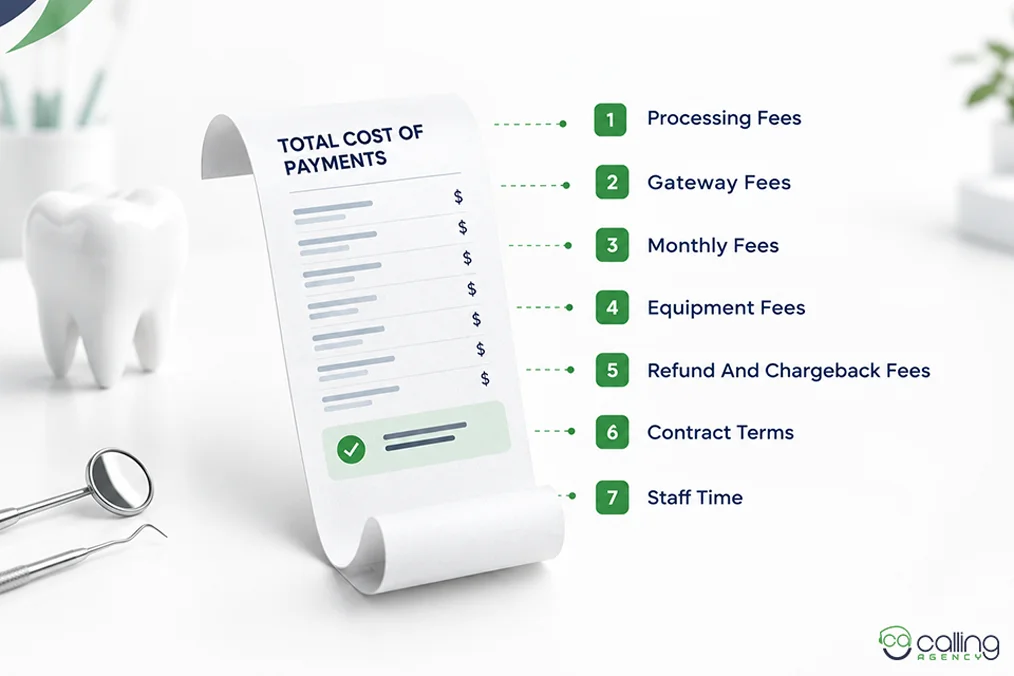
- Processing fees
- Gateway fees
- Monthly fees
- Equipment fees
- Refund and chargeback fees
- Contract terms
- Staff time
Use a proper discovery call guide for merchant-services reps to ask about these costs.
Here is a sales message you can say:
“Let’s compare your full payment cost and see if you can save money without losing the features your staff uses.”
Which Dental Practices Can Actually Switch Processors
Dental practices can switch processors when their payment system allows a different processor. Open Dental practices are often more reachable than other controlled payment systems.
Open Dental’s own native payment integrations page names three integrated processors. It then states that other merchant service vendors may use Open Dental’s API to develop their own integration.
Third-party companies have created payment integrations for Open Dental. Some guides call Open Dental “closed” because they only look at its three built-in payment options. They miss its API route. This route may let other payment companies connect with Open Dental.
For agents, this means Open Dental may offer more options than the built-in list suggests. The API route does not mean that every processor can connect immediately. The processor still needs technical resources and security controls to post payments and handle refunds. It does mean that the opportunity may exist.
To qualify merchant-services leads, first check whether the practice’s software allows it to change processors. Then check its card processing volume.
So, software comes before processing volume on the prospect list.
| System | Integrated options | Route for a new processor |
| Dentrix | Dentrix Pay via Worldpay, plus PowerPay | No widely published route. Check vendor terms. |
| Open Dental | 3 native. Global Payments, PayConnect by DentalXChange, PaySimple | Published API route. Open Dental does not support it directly. |
| Eaglesoft | Eaglesoft Card Payments via Global Payments Integrated, plus CarePay+ via Wellfit | No widely published route. Check vendor terms. |
| Carestream Dental | TSYS | No widely published route. Check vendor terms. |
| Denticon and Cloud 9 | Planet DDS Pay via Stripe | No widely published route. Check vendor terms. |
Credit goes to the practice-side buying guides for creating this useful list. Their list of three built-in Open Dental processors is still correct.
Read the practice management software guide. The guide was written for dentists. Dentists usually do not build payment integrations, so it did not need to explain the API route.
But a payment processor may be able to build an integration through that API. So dentists use the built-in payment options and processors build another connection through the API.
Focus on dental professionals who can use a different payment processor.
First, check the practice’s payment software. Software names can change. For example, X-Charge became OpenEdge, then EdgeExpress, and is now listed under Global Payments.
Check the software vendor’s website regularly. Also check the dental practice’s payment page. The practice may use a different payment product.
Some practices have less software lock-in. They may use:
- A basic card terminal
- Payment links
- Spreadsheets
- A simple scheduling tool
- Separate billing software
These practices may be easier to approach. But still check how much they process by card. Also check whether they need contactless payments or recurring billing.
The practice’s needs also matter. A practice with low card volume may not care much about a lower processing rate. A practice that spends a lot of time entering payments manually may care more about mobile payments.
For multi-location practices, do not treat every office as a separate lead. A dental support organization (DSO) may make payment decisions for several practices.
A DSO manages the business side of dental practices. The dentist handles patient care. The DSO may handle finance, recurring billing, purchasing, and payments.
The right buyer may be the CFO, operations leader, procurement team, or central billing team. So, divide your leads into three groups:
Open systems: Can use another processor.
No-system practices: Have little software lock-in.
Closed systems: Payment processing is controlled by the software vendor or an approved partner.
Call practices that have a real ability to change processors.
How to Find Out Which System a Practice Runs Before You Call
You can find the software before calling by checking three free sources.
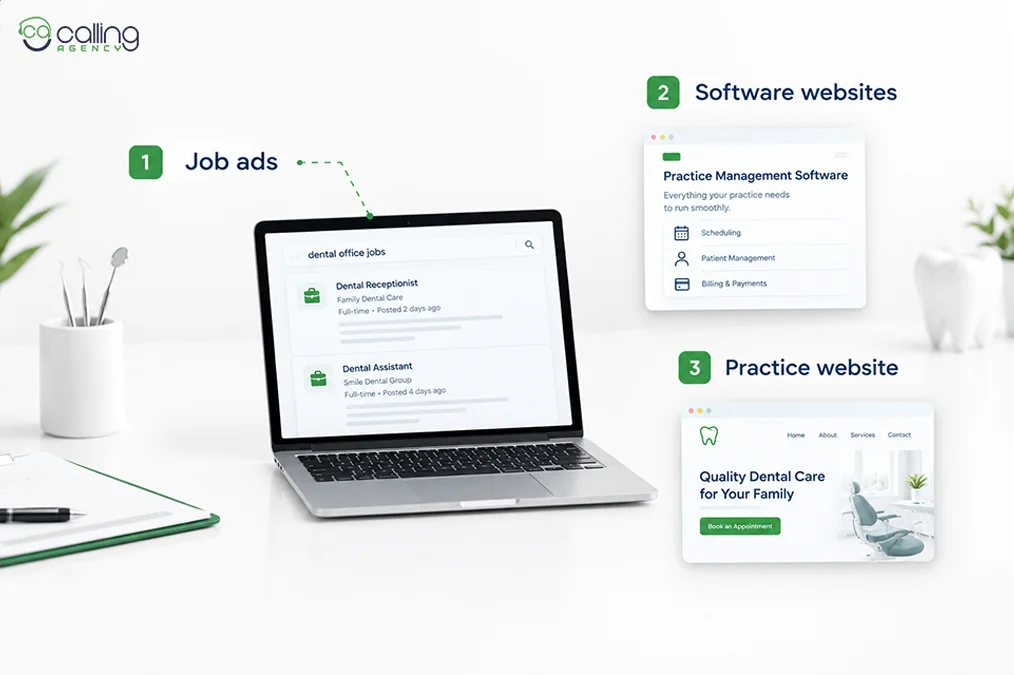
- Job ads: Look at job ads for receptionists or billing staff. Search for names like Dentrix, Eaglesoft, Open Dental, Denticon, Carestream, or Cloud 9.
- Software websites: Their customer lists and case studies may show the practice’s software, ownership, DSO status, and locations.
- Practice website: Here, check pages for patient login, booking, payment, financing, reminder, and payment-plan pages. The software logo may appear there.
You can also check partner lists and patient-portal screenshots. Check at least one source before calling. It helps you decide if the practice is a good prospect. But if you want to save time, you can also outsource merchant services lead generation to a specialized team.
The software name may not tell the whole story. A practice may use one system for patient records and another for payments. That’s why ask:
“Which system do you use for patient management, and is payment processing built into it?”
Are Dental Practices High Risk?
No, a normal dental practice is not a high-risk business. Mastercard’s Security Rules and Procedures Merchant Edition apply to types of businesses, such as tobacco and pharmaceutical sales. They have special rules from Mastercard.
However, some payment processors may still put certain orthodontic practices or healthcare businesses through extra checks. This may happen when a practice has:
- Large payments.
- Recurring payments.
- Payment plans or deposits.
If a practice is called high risk, ask why. Do not sell a high-risk account unless it is truly needed. For more information, see how to sell merchant services to high-risk businesses.
Can a Practice Take HSA and FSA Cards Without Extra Setup?
Yes, dental practices can accept HSA and FSA cards without extra setup. Dental care usually qualifies as a healthcare expense and patients may still need receipts. IRS Notice 2006-69 clearly explains the payment rules.
| Charge type | Auto-substantiates? | What happens |
| Exact match to a plan copayment | Yes | No receipt required |
| Exact multiple of not more than 5 times the copayment | Yes | No receipt required |
| Any amount that is not an exact copayment multiple, even if below 5 times the copayment | No | Conditional documentation requested |
| Purchase at a non-healthcare merchant | Not by merchant category code | Requires an inventory information approval system |
A proper receipt should show the practice name, procedure, date and amount paid.
Then ask:
“Does your receipt show the procedure, date, and amount for HSA and FSA payments?”
If not, patients may call the front desk for more details. So, do not promise that every payment is automatically eligible. The practice should check with the patient’s plan administrator first.
Why the Practice Does Not Need an Inventory Information Approval System
A normal dental practice does not need an Inventory Information Approval System (IIAS) because it provides healthcare services. An IIAS is a system that checks whether products are eligible for HSA or FSA payment. Pharmacies and stores may need it because they sell many products.
Dental practices mainly provide dental care. So, they usually do not need an IIAS. The rule may change if the practice also sells non-dental services like cosmetics, memberships, etc.
That’s why ask:
“Do you only provide dental services, or do you also sell products?”
What Switching Actually Saves a Practice
Switching processors may save money. But every practice is different.
Some agents claim:
| Circulating figure | Stated as | Method published? |
| 40% reduction | Lower processing cost | No |
| $2,000 to $8,000 | Annual extra cost | No |
| 15 to 40% | Overpayment | No |
Do not promise these amounts. Actual savings depend on the practice’s fees and card volume.
A practice’s total collections are not the same as card payments. It may also receive insurance payments, checks, ACH and cash. Also, use the merchant statement, not total collections.
What to Quote Instead
You should quote the total savings and show how the new payment system can reduce fees. Ask for a recent merchant statement before quoting savings. You can even use the card volume shown on the statement.
So, don’t forget to check:
- Card volume
- Processing fees
- Transaction fees
- Gateway and PCI DSS compliance
- Equipment loans and fees
- Chargeback fees
- Contract length
- Early termination fees
Use this formula:
Effective rate = Total fees ÷ Total card volume × 100
Then compare this rate with the new rate and don’t compare advertised rates alone.
Should You Sell Direct or Partner With the Software Vendor?
Sell direct to open systems and partner with vendors for closed systems. An agent with one acquiring relationship should target Open Dental and practices that allow outside processors. But an agent with more relationships can seek vendor partnerships.
Choose your route first. It can be:
Direct route: Open systems and no-software practices.
Partnership route: Closed systems.
The partnership route is slower. It may be the only practical route into Dentrix, Carestream, and Denticon practices. Just make sure it fits merchant services sales strategy.
These are what a vendor partnership may need:
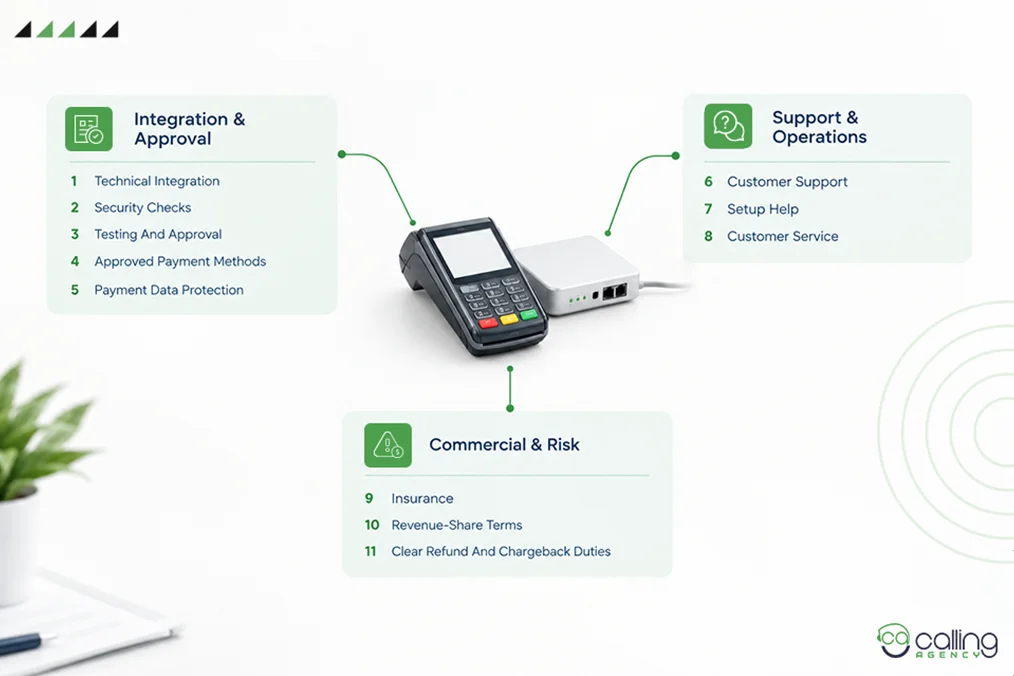
- Technical integration
- Security checks
- Testing and approval
- Customer support
- Insurance
- Revenue-share terms
- Setup help
- Customer service
- Approved payment methods
- Payment data protection
- Clear refund and chargeback duties
Not every vendor accepts every processor.
If your reps call practices that cannot switch, the list is wrong.
So, we build lists filtered by:
- Practice software
- Location
- Ownership
- Practice size
- Decision-maker
- Switching options
Conclusion
Dental practices can be good leads, but you must target the right ones. So, check the practice’s software before calling. See if they offer SBA loans, equipment loans, or real estate loans. But make sure it can change processors. Then speak with the person who handles payments. Use the merchant statement to show real savings.
What you have to do is find practices that can switch, reach the right person, and offer a solution. That’s it.
Frequently Asked Questions
Which dental practice management software lets you use your own processor?
Open Dental lets us use our own processor. It has three built-in payment integrations. It also has an API for other approved integrated payments. Dentrix, Carestream Dental, Eaglesoft, and Denticon offer fewer outside options. So, check the software vendor’s current rules first.
Who should you ask for when you call a dental office?
You should ask the billing or relationship manager when you call a dental office. If he is unavailable, ask for the office administrator or the person who handles payments.
What if the practice cannot change its processor?
If the practice cannot change its processor, do not force the sale. Check whether another gateway can be used or if the software has an approved partner. Then check if the vendor offers an integration or if the lead belongs on a partnership list.
How can CallingAgency help with dental merchant-services outreach?
CallingAgency can help with dental merchant-services outreach by building a targeted list of dental practices. The list can be filtered by software, location, ownership, practice size, and so on.