

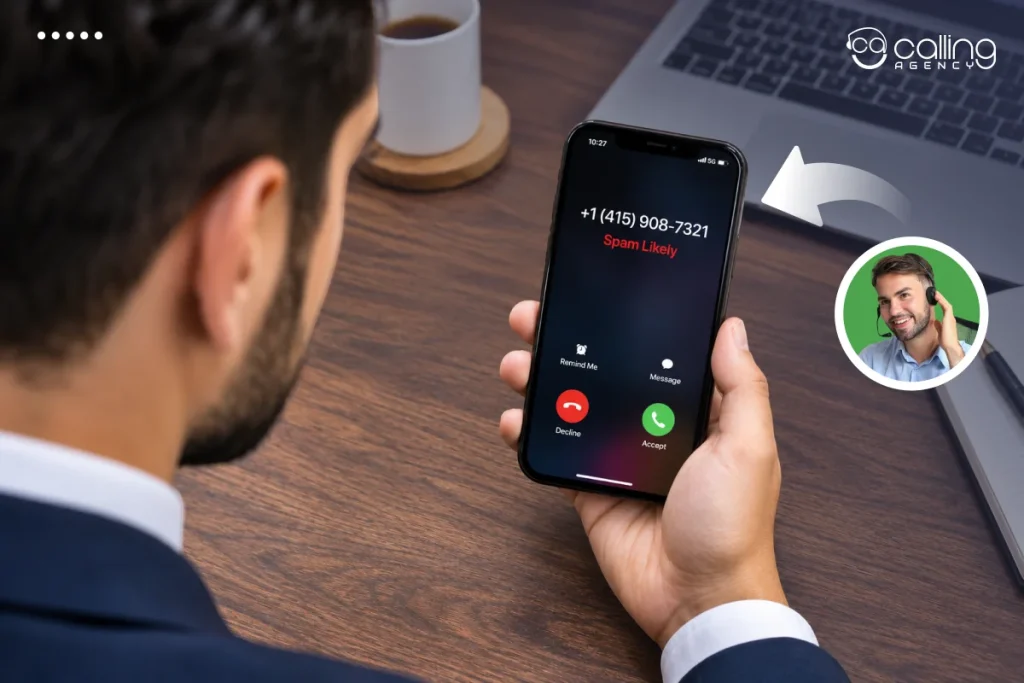
The first step to remove Spam Likely from your business number is to determine which service or carrier is classifying your number as Spam Likely. Register your number with the Free Caller Registry. Submit a provider-specific review request. Correct any problematic calling patterns. Test your number across multiple networks and monitor its reputation to reduce repeat warnings.
Reasons Why Business Numbers Are Tagged as Spam
Your number may display Spam Likely when the carrier or caller ID provider identifies a number as unwanted. These providers analyze calling patterns, recipient feedback, and the calling number’s history to determine reputation. A flag is a common reason for getting no pickups from cold calls.
Common reasons are:
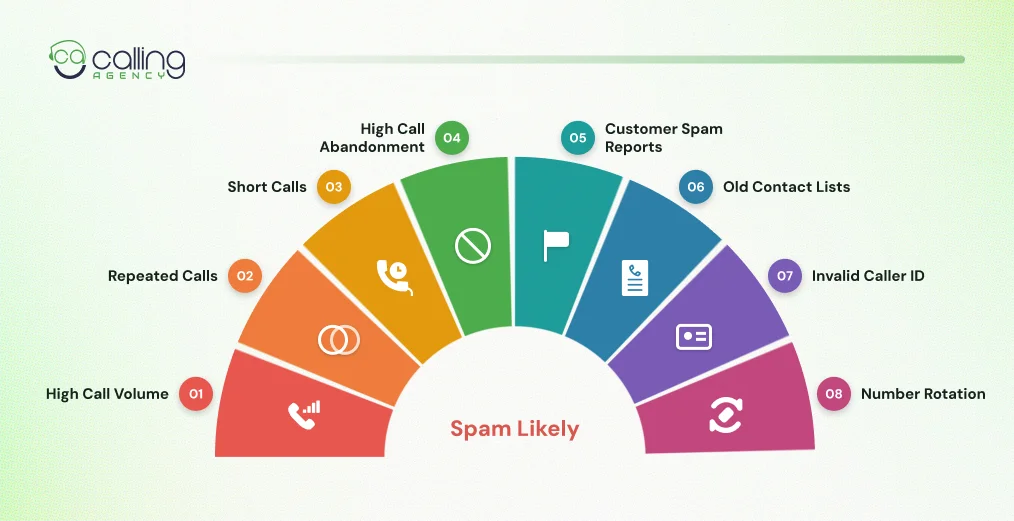
- High Call Volume: Rapid outbound call volume from the same number can trigger spam alerts.
- Repeated Calls: Contacting the same recipient multiple times without a response can lead to negative signals.
- Short Calls: Calling a lot with short duration can lead to negative signals.
- High Call Abandonment: Without the best dialer for cold calling, connection delays make recipients hang up.
- Customer Spam Reports: Callers will block and report calls they don’t want.
- Old Contact Lists: Calling disconnected numbers or those with minimal permission can reduce engagement.
- Invalid Caller ID: Calling people with a history of disinterest or with low consent ratings causes negative engagement.
- Number Rotation: Replacing flagged numbers instead of correcting calling practices can create further reputation problems.
How to Check If Your Business Number Is Flagged as Spam
In three ways you can test your business number across different mobile networks, devices and caller ID services.
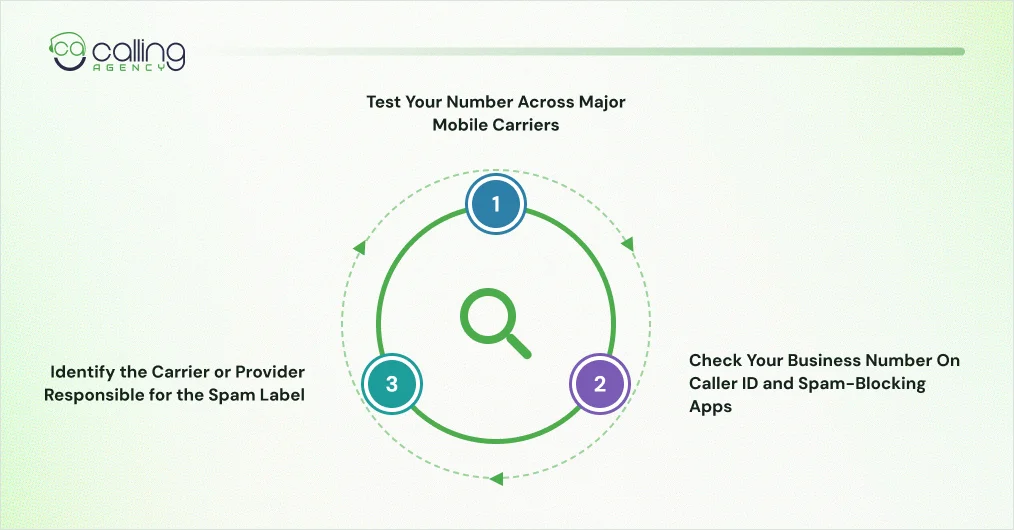
Test Your Number Across Major Mobile Carriers
Begin to call phones assigned to T-Mobile, AT&T and Verizon. Have another person verify the caller ID display when you call. Log each test in a table like this:
| Test | What to Record |
| T Mobile | Scam Likely or another warning. |
| AT&T | Spam Risk or Fraud Risk. |
| Verizon | Potential Spam, Potential Fraud or another warning. |
| Spectrum | Spam Likely, where applicable. |
| Other Networks | Any additional warning or call blocking. |
Use more than one phone when possible. Some phones may display caller ID information differently than others.
Log each test as follows:
- Your business phone number.
- Recipient’s carrier.
- Recipient’s device model.
- Exact warning displayed.
- Date and time of the test call.
- Whether the call connected or was blocked.
These records help identify the provider responsible for the warning.
Check Your Business Number on Caller ID and Spam-Blocking Apps
Your business line might be flagged by the phone’s native protection program or an app installed on the phone.
Check your number across commonly used services:
- T-Mobile Scam Shield.
- AT&T ActiveArmor.
- Verizon Call Filter.
- Google Phone spam protection.
- Samsung Smart Call.
- Truecaller.
- Nanorobot
- You Mail.
- Reboiler
Some services display warnings. However, others may block calls before a recipient answers.
Identify the Carrier or Provider Responsible for the Spam Label
Use your cold calling test results to find the correct reporting destination. For example, a Scam Likely warning on a T-Mobile recipient’s phone points toward T-Mobile’s call protection system. A Potential Spam warning on a Verizon phone may require a Verizon feedback request.
Check the phone’s carrier, install spam protection apps, check warnings and then submit an appeal. If the recipient uses a third-party blocker, contact its support team separately. A carrier appeal may not change an independent app’s database.
How to Remove Spam Likely From Your Business Number
Follow these four steps in order to give providers accurate business information and a clear reason for reviewing your number.
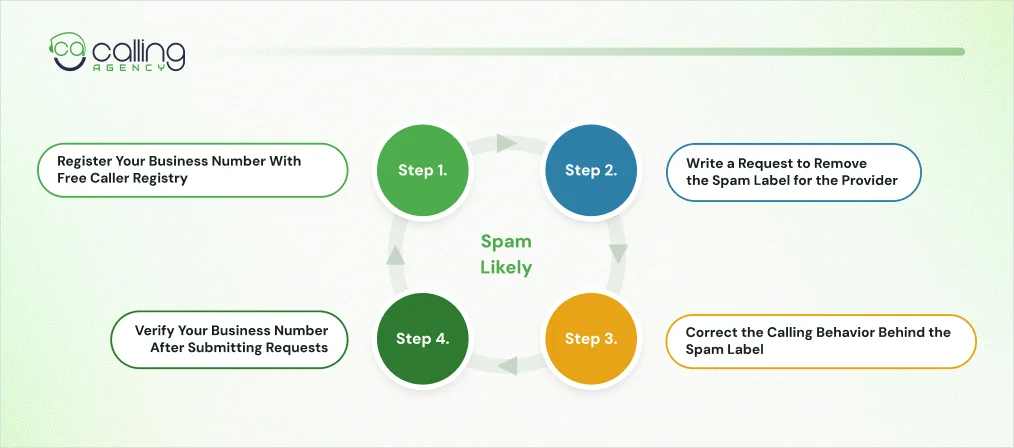
Step 1. Register Your Business Number With Free Caller Registry
The free service lets US businesses submit their outbound phone numbers to First Orion, Hiya and TNS through one registration process. These three analytics providers support call protection systems used by major US carriers.
To register your number:
- Visit the Free Caller Registry website.
- Enter your business email and verify it.
- Add your registered business name and address.
- Provide your business website and contact details.
- Select your call purpose and monthly outbound call volume.
- Add the affected business phone numbers.
- Review the information and submit your registration.
The form accepts 10-digit US phone numbers. You can enter up to 20 numbers individually or upload a file for larger lists.
Prepare the following information:
- Legal business name or registered DBA.
- Business address.
- Business website.
- Business contact name.
- Verified business email.
- Contact phone number.
- Outbound calling purpose.
- Approximate monthly call volume.
Free Caller Registry is intended for businesses registering their own outbound numbers.
Step 2. Write a Request to Remove the Spam Label for the Provider
Once you have registered, the provider can recognize your company. To fix an ongoing spam warning for your number, you might have to make an additional remediation request.
Follow the reporting path appropriate for your network.
A. T-Mobile: Send a Report for a Scam Probable Label
T-Mobile frequently receives signals of a possible scam because of its system for protecting your call.
First Orion provides business number registration and analytics for T-Mobile. Start with its business portal.
- Go to the First Orion Business Portal.
- Create an account & complete business verification.
- Register your business outbound calling numbers.
- Verify business details & number ownership.
- Decide whether to share registration data with additional providers.
- Proceed with a remediation request if you still see the warning.
T-Mobile has a different Report Improperly Identified Calls form.
Use it to report incorrect Scam Likely labels and submit bulk number information through its business process.
B. AT&T: Report a Spam Risk Label
AT&T commonly displays Spam Risk or Fraud Risk when its call protection system identifies a potentially unwanted call.
Hiya provides caller analytics for AT&T. Businesses can register their numbers through Hiya Connect and review their caller reputation.
- Visit Hiya Connect Number Registration.
- Create a free business account.
- Add your registered business information.
- Submit the affected phone numbers.
- Complete any required business or number verification.
- Check your spam status and reputation report card.
- Request a reputation review if the incorrect label remains.
C. Verizon: Report a Potential Spam Label
Verizon commonly displays Potential Spam, Potential Fraud and other warnings for suspicious calls.
TNS provides call analytics for Verizon and several other networks. Start by checking your registration through Free Caller Registry.
Then submit a report through Verizon Voice Spam Feedback.
- Open the Verizon Voice Spam Feedback page.
- Select the option for incorrectly labeled business calls.
- Add your affected phone number or numbers.
- Enter your company name and mailing address.
- Give your telephone provider’s name.
- Enter your approx monthly call volume.
- Explain what’s causing your valid calls to be mislabeled.
- Check your email and submit the report.
Select the business or enterprise phone number option. Then choose the option for an outbound number mislabeled as spam.
Verizon states its feedback process does not guarantee a change in future labels. Keep your submission reference and monitor the affected calls.
D. Spectrum: Report a Spam Likely Label
Spectrum uses the Spam Likely label for some incoming calls. Its customers can also report incorrect business number identification.
- Visit Spectrum Phone Spam Feedback.
- Select the option for a Spectrum Voice, Spectrum Business or Spectrum Enterprise number.
- Enter your affected number and business details.
- Explain why legitimate business calls are receiving an incorrect warning.
- Submit the feedback form.
Spectrum’s reporting route is separate from the general Free Caller Registry process. Use its direct form when Spectrum recipients report the warning.
Step 3. Correct the Calling Behavior Behind the Spam Label
Registration and appeals address your business identity. They do not correct poor cold calling behavior, which is one of the reasons not succeeding with cold calls.
Review your outbound calling activity and then request another reputation review.
- Minimize Sudden Volume Calls: Make sure the volume is raised slowly. And do not send large batches of calls from a single number. Establish a steady calling schedule and steadily increase call volume.
- Reject Multiple Calls to People Not Answering: Avoid repeatedly calling the same person. Do not ignore requests to be removed from calling lists and establish fair retry limits.
- Clean Your Contact Lists: Remove disconnected numbers, outdated records and contacts without suitable consent. Our lead generation service helps build a target account list, verify contact details and prepare numbers for outbound campaigns.
- Drop Dead Air and No Answers: Connect your answered calls to an agent immediately. No contact for an extended period or no answer can cause a recipient to disconnect.
- Use Accurate Caller IDs: Use the same caller ID on each campaign or calling reason. The recipients should recognize your business name and calling reason.
- Respect Client Priorities: Respect opt-out requests and any applicable DNC requirements. Do not call outside of reasonable contact times.
These help reduce the behavior associated with unwanted calls. However, businesses handling large outbound campaigns may need trained agents and live campaign monitoring. CallingAgency’s outbound call center services provide both.
Step 4. Verify Your Business Number After Submitting Requests
Do not assume a successful registration means every carrier has removed its warning.
Each analytics provider reviews call activity independently. A number can show a clean status on one network and remain flagged on another.
Use the same testing process from the diagnosis section:
- Call test phones on the affected networks.
- Record the exact caller ID display.
- Check relevant spam protection apps.
- Confirm calls are reaching recipients.
- Save the results and compare them with earlier tests.
Monitor your number over several calling cycles. Contact the provider again if the warning continues and your business has corrected its calling practices.
How to Prevent Your Business Number From Being Marked as Spam Again
Preventative measures start with how your business applies its outbound numbers.
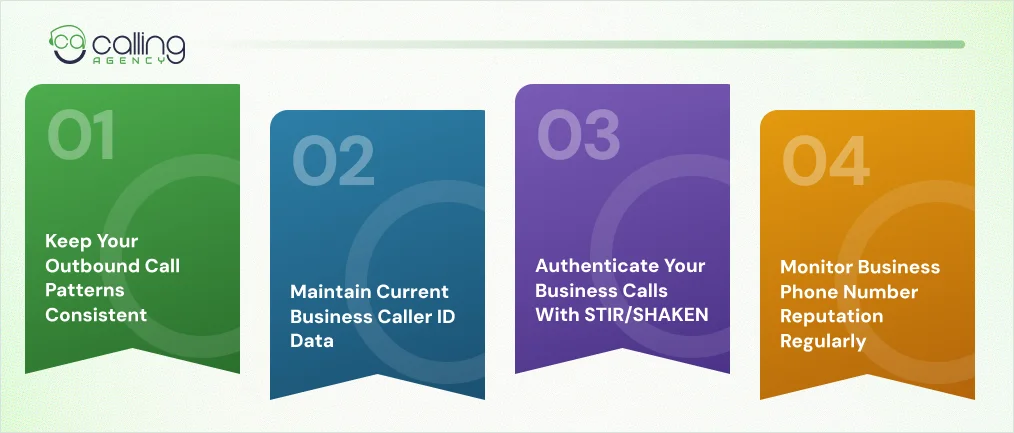
Keep Your Outbound Call Patterns Consistent
Try and keep to a consistent schedule of calling. A high volume of calls in a short period of time or many repeat calls in the same period can cause a number to be flagged.
Also review audience targeting, modify outreach and track campaign performance to improve outbound marketing lead generation.
Assign numbers to clear calling purposes. Let’s say you can use separate lines for customer support, appointment reminders and sales campaigns. Especially when your call volume justifies it.
Do not rotate numbers simply to escape an existing spam label. Analytics providers can identify number history and changing calling patterns.
Maintain Current Business Caller ID Data
Make sure your business name and number match phone systems and directory listings.
Confirm your CNAM data with your originator’s telephone operator. CNAM (Calling Name) is the name information shown by supported caller ID systems.
Use branded caller ID when supported by your carrier or phone service. Let’s say you may opt to have a business name, logo or call purpose. These will appear to users of compatible devices on the Hiya Connect Branded Call service.
Remember, branded caller ID and spam reputation are different. An accepted name does not bypass a spam flag.
Authenticate Your Business Calls With STIR/SHAKEN
STIR/SHAKEN is a caller ID authentication framework used across US telephone networks.
It uses digital signatures to help verify the calling number presented during a call. The originating voice provider assigns an attestation level based on its knowledge of the caller and number.
Three attestation levels are:
- Level A: Provider knows the customer and has established that the customer has the right to use the number.
- Level B: They know the customer but are unable to confirm the right to use the number.
- Level C: They have established that a call entered the network but do not know the customer and number relationship.
A stronger attestation can support caller identity verification. It does not confirm the call’s purpose or guarantee a clean spam reputation.
STIR/SHAKEN also does not replace carrier remediation. A properly authenticated call can still receive a spam warning.
Monitor Business Phone Number Reputation Regularly
Check your business numbers after major campaign changes. Review spam status and recipient reactions across the networks serving your customers.
Monitor these indicators:
- Spam label frequency.
- Call connection rates.
- Recipient answer rates.
- Call abandonment.
- Customer complaints.
- Block and opt-out activity.
- Changes in caller ID display.
Hiya Connect provides a reputation report card for registered numbers. Other phone service providers offer separate reputation monitoring features.
Frequently Asked Questions
How long does it take to remove spam labels?
There is no guaranteed removal timeline. Free Caller Registry does not publish one and Verizon says a report may not change the label. Submit your appeals, resolve calling problems and verify your number for T-Mobile, AT&T and Verizon.
How many calls a day can one business number make?
There is no general daily call limit. Providers assess calling patterns and recipient responses. Maintain a steady call volume, avoid sudden increases and check answer rate, short calls and customer complaints.
Does free caller registry change my caller ID name?
No. Free Caller Registry shares your business information with call protection providers to help them assess your calls. It doesn’t update the Caller ID Name shown to recipients. Ask your phone provider to update your CNAM record.
Does a spam label stay on the number forever?
Not always. Hiya says its spam label applies to individual calls rather than permanently attaching to a number. Better calling practices and fewer spam reports may improve future results. Other providers use separate systems, so keep testing across carriers.
Can someone spoof my business number without accessing my phone system?
Yes. Caller ID spoofing lets someone display your business number without accessing your phone system. Contact your phone provider, save evidence and report the incident through the affected carrier.
Should I replace a business number marked as spam?
Only after correcting your calling practices and testing the number again. Fix call volume spikes, repeated calls, dead air and ignored opt-out requests first. Consider replacement if the label persists after repeated appeals or the number has a poor inherited reputation.