



Most prospect lists start with 2 filters:
- Industry
- Company Size
Filtering by industry and company size alone often leaves you with a long list of companies that aren’t a good fit. Technographic targeting narrows that list to R already using relevant technologies. That makes it easier to reach the right prospects with a message that feels relevant.
Additionally, technographic data can deliver a 34% higher conversion rate and 27% shorter sales cycles. Because they focus on companies that already use technologies that match their solution. You don’t have to rely only on company size or industry.
Cause a technographic prospect list is a list of companies built around the software and technologies they already use.
That helps you identify organizations whose existing tech stack, infrastructure or vendors. So, your sales pitch is stronger and more personal than others. And that’s automatically 2x your chance of converting the lead to a sale.
Ok, but how to build a technographic prospect list?
Well, you build a technographic prospect list with 6 steps, like:
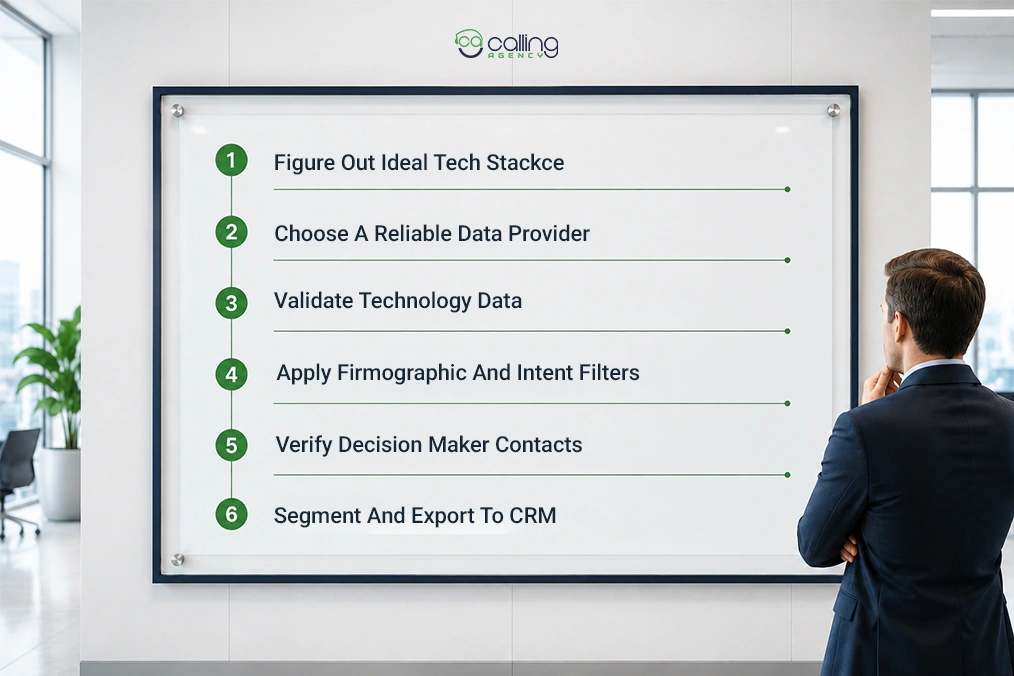
- Figure out your ideal tech stack.
- Choose a reliable data provider.
- Validate technology data.
- Apply firmographic and intent filters.
- Verify decision-maker contacts.
- Segment and export to your CRM.
Sounds pretty simple on the surface level, but it isn’t! This guide walks through the full build, vendor-neutral. Let’s get into it to increase your lead scoring.
Who this guide is for: outbound sales development reps (SDRs) and business development reps (BDRs) building targeted lists, demand generation and account-based marketing (ABM) teams tightening their targeting and revenue operations (RevOps) leaders or founders standing up a prospecting motion.
What Is Technographic Data?
Technographic data is intelligence about the technologies a company uses to run its business. The data shows the company’s customer relationship management (CRM) system, marketing automation, cloud hosting, analytics and security tools. That’s why many SDRs use CRM data for cold calling.
It is the exact opposite of Firmographic details.
Firmographic data gives you demographic data. It mainly tells you who the company is (size, industry, location) and intent data tells you what the company is doing. This shows what it’s actively researching and technographic data reveals how the company operates.
The data difference between those 2 kind looks like this:
| Data type | Answers | Example |
| Firmographic | Who is this company? | 200-person software firm in Boston |
| Technographic | How does it operate? | Runs Salesforce, Marketo, AWS, Zendesk |
| Intent | What is it researching now? | Reading CRM comparison pages this week |
Technographic works for B2B marketing and sales teams and it answers 3 core questions:
- Who To Target
- What To Say
- When To Reach Out
So, you can improve your target leads. It also helps me to make a personalized cold pitch and prioritize leads. All 3 together help you identify the right accounts and understand their technology stacks. So, you can reach them when they’re most likely to buy.
Is Technographic Data Legal to Use?
Yes, technographic data is generally legal to use because it describes a company’s technology stack. So, you don’t have to rely on an individual’s personal information. Most technographic data is correct because it is collected from publicly available sources, such as:
- Website Code
- Technology Tags
- Dns Records
- Job Postings
Technographic data itself is generally not the compliance risk.
The safety depends on how you use it. Like, if you use it responsibly for account-based marketing, prospecting, competitor analysis and B2B outreach, then it is legal.
Note: This is general information, not legal advice. If you’re contacting people in different countries, check the local rules or speak with a legal professional before starting your campaign.
Why Technographic Targeting Beats Firmographic-Only Lists?
Technographic targeting is more effective because it finds companies based on the technologies they use, not just their size, industry or revenue.
Cause 2 companies may have similar firmographics, yet use completely different technologies. That one small change can make one a perfect fit for your solution and the other a poor prospect.
A poor prospect can cost you millions cause according to SalesHive,
Organizations lose an average of $12.9 million each year due to inaccurate prospect lists, wasted sales time and bounced outreach.
So, a technographic can help you to
- Find better-fit cold calling prospects.
- Reduces wasted outreach by filtering out accounts that aren’t technically compatible.
- Improves personalization with messaging.
- Increases response rates
- Saves 60% of sales time by helping teams avoid poor-fit accounts.
A B2B technology and contact data change by about 2% every month. So, lists that are only a few months old can quickly become outdated.
Cause a tighter list means fewer contacts, higher reply rates and messaging that speaks to the prospect’s actual environment. You spend less and hear back more, because the targeting did the qualifying before the first email went out.
How to Build a Technographic Prospect List?
You can build a technographic prospect list in 6 steps: define the target stack, source install data, validate it, layer in firmographic and intent filters, verify contacts and then segment.
Here is how we do all those steps:
Define Your Ideal Tech Stack
You need to find out the technologies your ideal customers use. You can do that by analysing your closed-won customers. Then you can see their patterns across their technology stacks.
Then review their accounts with the highest contract values, shortest sales cycles or strongest retention. Then identify the software they have in common.
You can get that data from their CRM, marketing automation platform, cloud provider, CMS, eCommerce platform, payment gateway, analytics tools, customer support software or security solutions. In that case, building a CRM workflow can be very helpful.
Mainly, ask yourself,
- Which CRM do most customers use?
- Which cloud platforms appear most often?
- Are they using a competitor’s product?
- Which integrations do customers frequently request?
If you notice that most of your best customers use the same technologies, use those tools as your targeting criteria. Then, focus on businesses with similar tech stacks.
So, now they’re much more likely to need your solution and become qualified prospects.
Choose a Technographic Data Source
Now, choose a data provider that can reliably detect them. But remember, every provider has different strengths. So, the best choice depends on what you’re trying to identify.
For example, if you sell a Shopify app, you need a provider with strong website technology detection.
If you sell cybersecurity software, choose a provider that can accurately detect cloud platforms, security tools, identity management systems and other infrastructure technologies. That same detection layer powers cybersecurity lead generation, because the stack shows you where the gaps sit.
And if your product integrates with CRMs, look for a provider with strong coverage of CRM and sales software.
Before selecting a provider, check if:
- The technologies it can detect.
- How frequently the data is updated.
- Detection accuracy and confidence levels.
- CRM and sales tool integrations.
- Geographic and company size coverage.
Choosing the right provider at this stage directly affects the quality of every prospect list you build afterwards.
Pull the Install List and Validate the Data
Once you’ve selected a provider, generate a list of companies using your target technologies. However, don’t assume every detection is accurate.
Companies regularly replace software, migrate to new platforms or remove tools without notice. A technology that appeared 6 months ago may no longer exist today. Before launching outreach, validate a sample of your list by checking company websites, job postings, integration pages, engineering blogs, job titles, public documentation or other trusted sources.
Pay special attention to:
- Recently migrated websites.
- Companies use multiple competing tools.
- Outdated or discontinued software.
- Missing technologies that should be present.
Spending time validating your install data before outreach helps eliminate false positives and improves targeting accuracy. And gives your sales team greater confidence in every account they contact.
Layer Firmographic and Intent Filters
A list based only on technology is usually too broad. Hundreds or even thousands of companies may use the same software, but not all of them are good prospects. Narrow your list by adding firmographic and intent filters.
Start with firmographic criteria such as company size, annual revenue, employee count, location and industry.
Then layer in intent data to identify companies that are actively researching or evaluating solutions like yours. Platforms such as Bombora or 6sense can show buying signals based on topics companies are consuming online.
For example, if you sell a Salesforce integration, don’t target every company using Salesforce. Instead, prioritize mid-market companies in your target region that are also researching CRM migration, automation or Salesforce implementation.
Combining technology, firmographic and intent data helps you focus on accounts that not only fit your Ideal Customer Profile (ICP) but are also more likely to buy now. That’s the reason CRM integration for B2B leads is pretty popular in this era.
Find and Verify Decision Maker Contact Details
Identify the stakeholders involved in the buying process, such as IT managers, operations leaders, marketing directors or procurement teams, depending on your product. IT lead generation almost always routes through the IT manager or director. They own the stack, so they judge the fit first.
Then enrich your account list with verified business emails, direct phone numbers and LinkedIn profiles using a trusted contact database.
Before launching your campaign, run every email through an email verification tool to remove invalid addresses. This reduces bounce rates, protects your sender reputation and increases the likelihood that your emails reach the inbox rather than spam.
Segment Your List and Sync It to Your CRM
Not every prospect should receive the same message. Once your list is complete, divide it into smaller segments based on the technology they use, buying intent, company size or other relevant signals.
For example, companies using a competitor’s product need different messaging than businesses using outdated software or evaluating a new solution.
It creates separate segments. So, it allows you to personalize your subject lines, value proposition and call to action for each audience.
Finally, sync each segment with your CRM and sales engagement platform. This keeps your prospect data organized, enables automated outreach sequences and ensures sales reps send the right message to the right accounts at the right time.
Which Technographic Signals Actually Predict A Buy?
The strongest buying signal is an upcoming software renewal. Most businesses evaluate vendors before renewing an existing contract. So, the 30 to 90 days before renewal are the best time to reach out. A competitor install alone shows category fit, but pairing it with a renewal window indicates the company may actively consider switching.
If a company removes a competitor’s software from its website, then tracking pixels, DNS records or other public technology signals are no longer available.
It often means the business is replacing that solution. This creates an opportunity to engage prospects while they are actively evaluating alternatives, rather than waiting until a new vendor is already selected.
Other technographic signals kinda look like this:
| Signal | What does it tell you | Priority | Play |
| Competitor install | Confirmed category buyer | High | Displacement |
| Competitor install nearing renewal | Buyer in an evaluation window | Highest | Timed displacement |
| Complementary install | Product likely fits their stack | High | Integration |
| Recent adoption of an adjacent tool | Active investment in the area | Medium high | Integration |
| Technology gap | Missing a layer you provided | Medium | Greenfield |
| Budget tier tool | Signals spend and sophistication | Medium | Fit scoring |
How Technographic Data Is Collected (And What It Misses)
You can collect technographic data through web scraping of front-end code, monitoring job postings for required skills and directly aggregating third-party data.
Here is how each of them works:
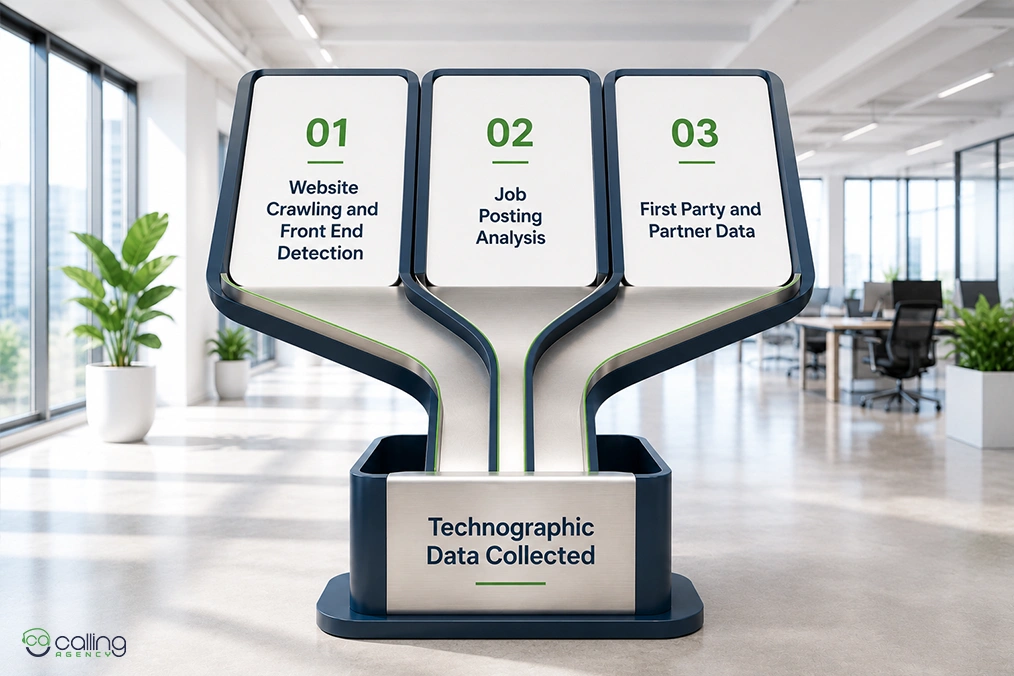
Website Crawling and Front-End Detection
The most common collection method is scanning a company’s public website. Automated crawlers analyze HTML code, JavaScript libraries, tracking pixels, cookies, DNS records and other visible assets to identify technologies such as content management systems (CMS). You can also use analytics platforms, marketing tools, chat widgets and front-end frameworks.
Job Posting Analysis
Job listings often reveal technologies a company is actively using or planning to adopt. For example, a job description that requests experience with Salesforce, Snowflake or Microsoft Azure suggests the business has invested in or is preparing to invest in those platforms.
Because hiring usually occurs before or during technology rollouts, job postings can provide early buying signals that website scans may miss.
First Party and Partner Data
Many providers also enrich their datasets using first-party sales data, customer interviews, technology partnerships and trusted third-party sources. This helps validate technology detections and fills gaps that public website scans may miss.
So, combining multiple data sources generally produces a more accurate technographic profile than relying solely on website detection.
What Technographic Data Misses?
Even with multiple collection methods, technographic data has limitations because it relies on external signals rather than direct access to a company’s internal systems.
Technographic data typically cannot detect:
- Internal business applications such as ERP, CRM or finance systems that aren’t publicly exposed.
- Custom-built software developed specifically for the company.
- How frequently employees use a particular tool.
- Software license counts or budget allocated to each platform.
- Technologies protected behind logins, VPNs or private cloud environments.
That’s why the most reliable technographic datasets combine website detection, job posting analysis, first-party data and other external signals. Using multiple collection methods provides a more complete and accurate view of a company’s technology stack than relying on a single source.
How Accurate Is Technographic Data?
Technographic data is highly accurate for publicly visible technologies (like website builders or analytics tags). But sometimes the accuracy drops to 50% to 70%. It happens for internal, backend or cloud-hosted systems where providers rely on inference or job postings.
So, mainly the accuracy depends on the method you are using, such as:
| Accuracy | Technology | Detection Method |
| 85–95% | CMS, analytics, marketing tags | Direct website scans |
| 75–85% | CRM, marketing automation and email platforms | Multiple data sources |
| 50–70% | ERP, backend systems, cloud infrastructure | Inferred from indirect signals |
This happens because companies frequently update their technology stacks and treat technographic data as a strong buying signal rather than absolute proof. That’s why, for the best results, combine it with firmographic and intent data before launching outreach.
So, before you build a campaign on purchased data, run 4 checks:
- Spot-check detections against the live site with a free lookup tool.
- Cross-reference job postings and recent company news for confirmation.
- Sample a provider’s data on a small set before buying at scale.
- Assign confidence tiers so reps know which detections to trust.
Before we trust any purchased list, we randomly sample 20 rows and manually verify each detection. If more than a couple are wrong, the whole file is suspect and the campaign waits.
Choosing A Data Source: Build, Buy or Aggregate
Sources are split into 4 types:
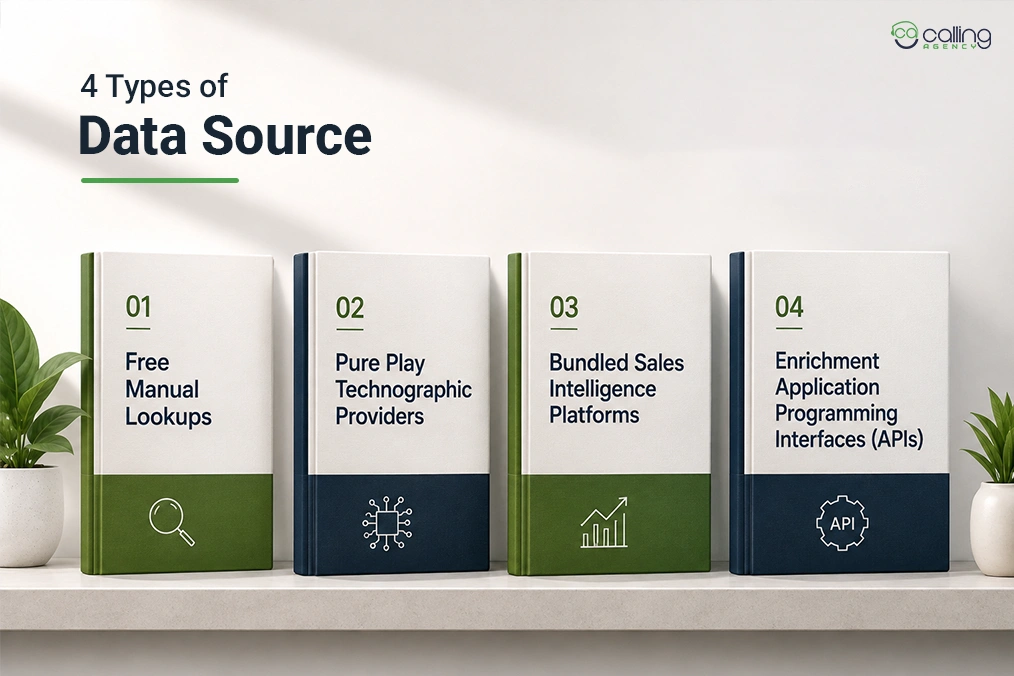
- Free Manual Lookups
- Pure Play Technographic Providers
- Bundled Sales Intelligence Platforms
- Enrichment Application Programming Interfaces (APIs).
Each trade’s coverage breadth, refresh speed and backend visibility against price.
| Source type | Best for | Coverage | Freshness | Backend visibility | Cost |
| Manual/free lookups | One-off account checks | Narrow | Live | None | Free |
| Pure play providers | Deep, list-level tech data | Broad | Varies | Some | Mid–high |
| Bundled platforms | Prospecting plus data in one place | Broad | Varies | Some | High |
| Enrichment APIs | Waterfall enrichment, automated pipelines | Broadest | Configurable | Varies | Usage based |
There is no single best technographic data source; there is only the right one for your target technologies and budget.
Free tools are also useful for validating individual companies’ technology stacks.
But they aren’t designed for prospecting thousands of accounts. If you’re building large prospect lists, dedicated technographic providers offer broader coverage and downloadable install data.
How Should You Segment A Technographic Prospect List?
You should segment a technographic prospect list by the technologies companies use, the vendors they rely on, their technology stack and any gaps in their existing software. To do that, we usually follow these steps:
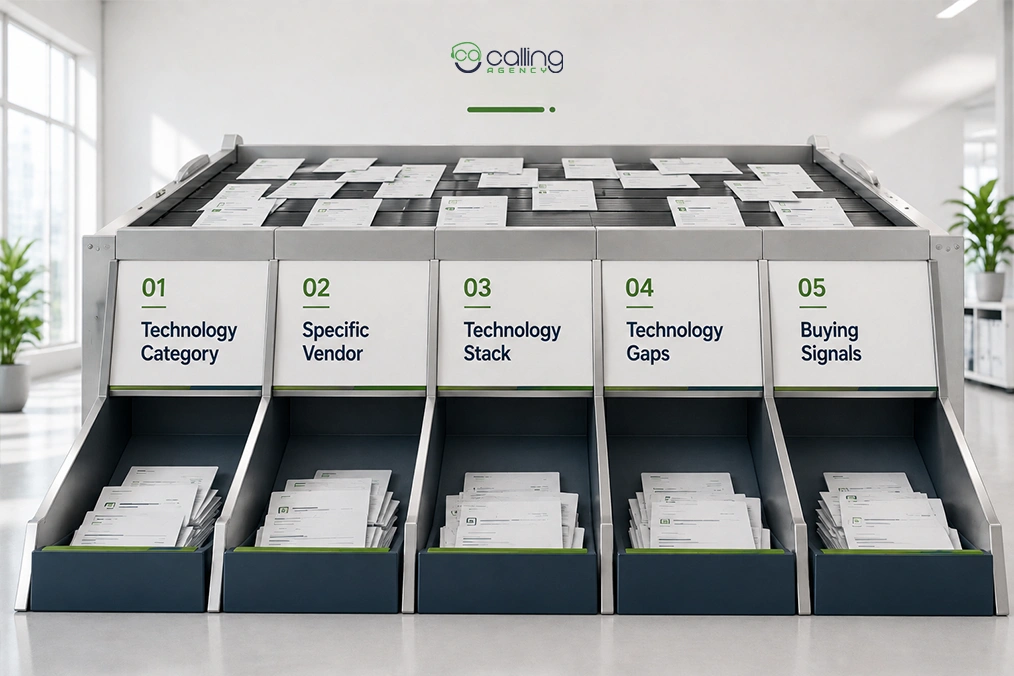
- Technology category: Group companies by software type, such as CRM, marketing automation, cloud or data platforms.
- Specific vendor: Target users of a particular product, such as Salesforce, HubSpot, Shopify or AWS.
- Technology stack: Combine multiple technologies to identify companies with similar environments, such as Snowflake, dbt and Looker.
- Technology gaps: Identify companies that lack a complementary tool your solution provides. This gap-based approach drives most MSP lead generation. Missing backup or monitoring tools signal a clear opening.
- Buying signals: Prioritize accounts showing signals like competitor usage, upcoming renewals or recent technology adoption.
So, choose the segmentation level based on your sales model.
Writing outreach that references the tech stack
Referencing a prospect’s tech stack in outreach works when the cue is observable and the message reads as research rather than surveillance. Here is how we normally do it.
| Technographic Signal | Generic Outreach | Personalized Outreach |
| Competitor install | We help sales teams book more meetings. Can we grab 15 minutes? | I noticed your team uses [Competitor CRM]. Many companies review alternatives around renewal time to improve quoting speed. Here’s how we helped a similar business cut that process in half. |
| Complementary install | Our platform integrates with lots of tools your team probably uses. | I saw you’re using Shopify. Our platform integrates with it out of the box, helping similar stores reduce returns without changing their existing workflow. |
| Technology gap | You might benefit from adding a solution like ours. | I noticed you use a CRM but couldn’t find a CPQ solution. That combination often leads to slower proposal creation. Here’s how we help teams solve that. |
Frequently Asked Questions
Can I get technographic data for free?
Partially. Browser extensions like Wappalyzer and BuiltWith reveal a site’s stack at no cost and some platforms include limited technographic data on free tiers. Bulk, list-level install data across many companies almost always sits behind a paid plan.
Does technographic data replace intent data?
No. They answer different questions. Technographics show fit, what a company runs and whether you integrate or displace. Intent shows timing, what they are researching now. The sharpest targeting layers both, so a stack match meets an active buying signal.
How often should you update a technographic prospect list?
Refresh on a cadence matched to how fast the segment moves, monthly for actively changing tools like marketing and sales software, quarterly for slower infrastructure. Tech stacks change on multi-year cycles, so stale install data pitches tools a prospect may have already dropped.